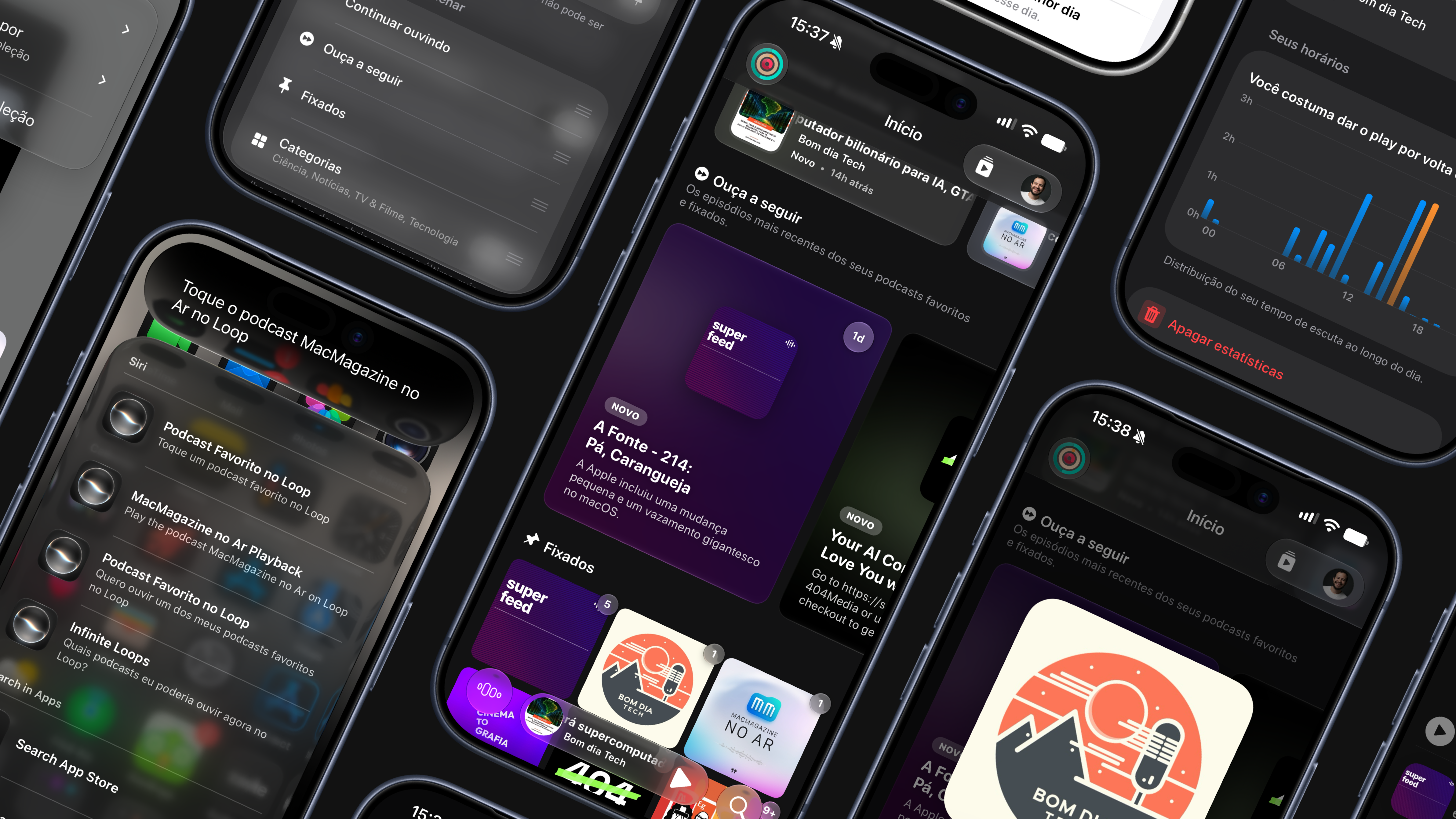
Loop 3.1 arrives with Siri integration, Head Gestures, and new Listening Metrics!
Today, Loop announced version 3.1, bringing support for Siri AI and Shortcuts, a new Head Gestures control system, customizable Loop Personalities, and a complete set of Listening Metrics and Statistics to track podcast listening habits.
“With Loop 3.1, I wanted to go beyond improving podcast playback performance — I wanted the app to adapt even more to the way you listen, whether through a head gesture, a request to Siri AI, or tracking your own listening goals,” said Augusto Simionato, creator of Loop.
Loop now works with Siri and Shortcuts, integrating the app more deeply into the system and making common commands available without opening the app. For people using AirPods or another compatible device, Head Gestures let you skip episode chapters simply by moving your head, even while Loop runs in the background. In Settings, you can adjust motion sensitivity and the volume of the sound that confirms each recognized gesture.
In the About Me section of Settings, you can now choose the personalities Loop uses to generate text in the For You section, making those recommendations better match your preferred tone. The new What to Listen to Next section brings together the latest episodes from your favorite and pinned podcasts for quick access without searching.
Loop 3.1 also introduces three rings for tracking daily and monthly listening goals: episodes finished this month, daily listening time, and the variety of podcasts you listen to. Additional statistics are available under Listening Statistics in Settings. This data now appears outside the app too: text from the For You section is available in small and medium widgets, and Listening Metrics rings can be displayed on both the Home Screen and the Lock Screen.
Podcasts within a collection can now be reordered by dragging and dropping, and Home sections can be freely rearranged under Customization in Loop’s Settings.
This update also adds a filter in Favorites to show only podcasts with unplayed episodes and new episodes available; the ability to touch and hold a podcast in Favorites to automatically queue all its unplayed episodes; a new playback indicator showing when AirPods or another device is connected, with quick access to AirPlay controls; a downloaded-episode indicator in Continue Listening; the ability to double-tap the Search tab to open the keyboard and search faster; a redesigned chapter list for supported episodes; improved translations throughout the app; and better background performance with lower processor and battery use. The update also fixes the Loop icon in Apple Watch complications and automatic scrolling to the current chapter in the chapter list.
Loop 3.1 is available to download now. Starting with this version, Loop is no longer compatible with iOS 18. People who stay on iOS 18 can continue using the app, but will no longer receive support. Updating your device is recommended to enjoy all available features.